How to Build a Family Photographer Workflow in 5 Steps
Can you tell me right now, off the top of your head, exactly what happens after a new client fills out your contact form? Not vaguely. Not “I kinda respond, and then we figure it out.” I mean every single step, in order, from that first inquiry all the way to delivering their finished gallery and closing out the project. If your answer is some version of “I go with the flow,” this post was written specifically for you. A solid family photographer workflow is not a nice-to-have. It is the foundation that protects your client experience, saves your sanity during fall mini-session chaos, and, honestly, makes you look like the professional you already are. And the good news? You do not need to be a tech person to build one. You just need a starting point. So let’s start there.
🎥If you’d rather watch the YouTube version of this blog, click here⬇️
🎙️If you’d rather listen to the Podcast version of this blog, click here⬇️
💻Or READ the blog version below
Don’t forget to grab your free Family Photography Marketing Trends Report while you are here — it is a great companion resource as you start building more structure into your business (it’s updated every year) 
What Is a Family Photographer Workflow?
A family photographer workflow is a documented, repeatable sequence of steps that guides your client from the first inquiry to the final gallery delivery for a specific service. That’s it. Nothing corporate, nothing complicated. It is simply the roadmap your client follows when they book and work with you. Every family photographer already has one — it just lives in your head instead of a document you can actually use and repeat. The difference between a photographer who feels scattered and one who feels confident comes down to whether that process is written down somewhere. When it lives only in your memory, it changes based on how much sleep you got, how many editing projects are open, and whether your kid had a meltdown before nap time. That inconsistency is what quietly chips away at your client experience over time. And here is the thing about consistency: it is what builds trust with clients. When families know exactly what to expect from you at every stage, they feel cared for. That feeling is what turns them into repeat clients and referrals. It doesn’t come from a viral reel. It comes from a documented, repeatable workflow.
Why Do Family Photographers Resist Building Workflows?
Many photographers avoid workflows because structure feels like the opposite of creativity. There’s a belief floating around the creative world that if you put your process into a system, your business starts to feel like a factory. You lose the personal touch. You stop feeling like a one-woman show fueled by passion and start feeling like a corporate operation. Totally understand that. But after years of running a family photography business both ways — winging it and then running it on documented workflows — I will tell you with confidence that the most personal, thoughtful client experiences I have ever delivered came after I built my workflows. Not before. Because when the admin side is handled, you get to show up as the warm, creative, present photographer your clients hired. You are not scrambling to remember what step you are on. You are just there with them. Structure does not kill creativity. It protects it.
Step 1: Brain Dump Your Entire Client Journey for One Service
The first step in building a family photographer workflow is writing out every single step of one client’s journey (e.g., a newborn session or a maternity session), from first contact to final delivery. One service. Just pick one. If you offer family sessions, newborn sessions, maternity sessions, or mini sessions — choose the one that brings in the most inquiries. For most family photographers, that is their main family session package. Start there. Then sit down with a timer set for 30 minutes, your favorite drink, and quiet time if you can get it, and write out every step of what happens when someone books that service. Think through questions like:
- How does the client contact you? Is it a contact form, a DM, or an email?
- What happens right after they reach out? Do you respond manually or with automation?
- How do you send pricing information?
- Do you need a call to walk them through your packages?
- What communication happens between booking and the session date?
- Do you send a style guide or prep guide?
- Do you send a reminder the week before? The day before?
- What happens on session day?
- How long is your turnaround for editing?
- What platform do you use to deliver the gallery?
- Do you ask for a Google review? Follow up about prints?
- How do you officially close out the project?
Write it all down. Out of order is fine. Messy is fine. The goal of this step is not a perfect document. The goal is to get every step out of your brain and onto paper. This is your brain dump, and it is the most important step of the entire process. Feeling like you need more support organizing your backend? Check out the Backend Organization System for Family Photographers (Trello Board) in the shop — it’s only $7. 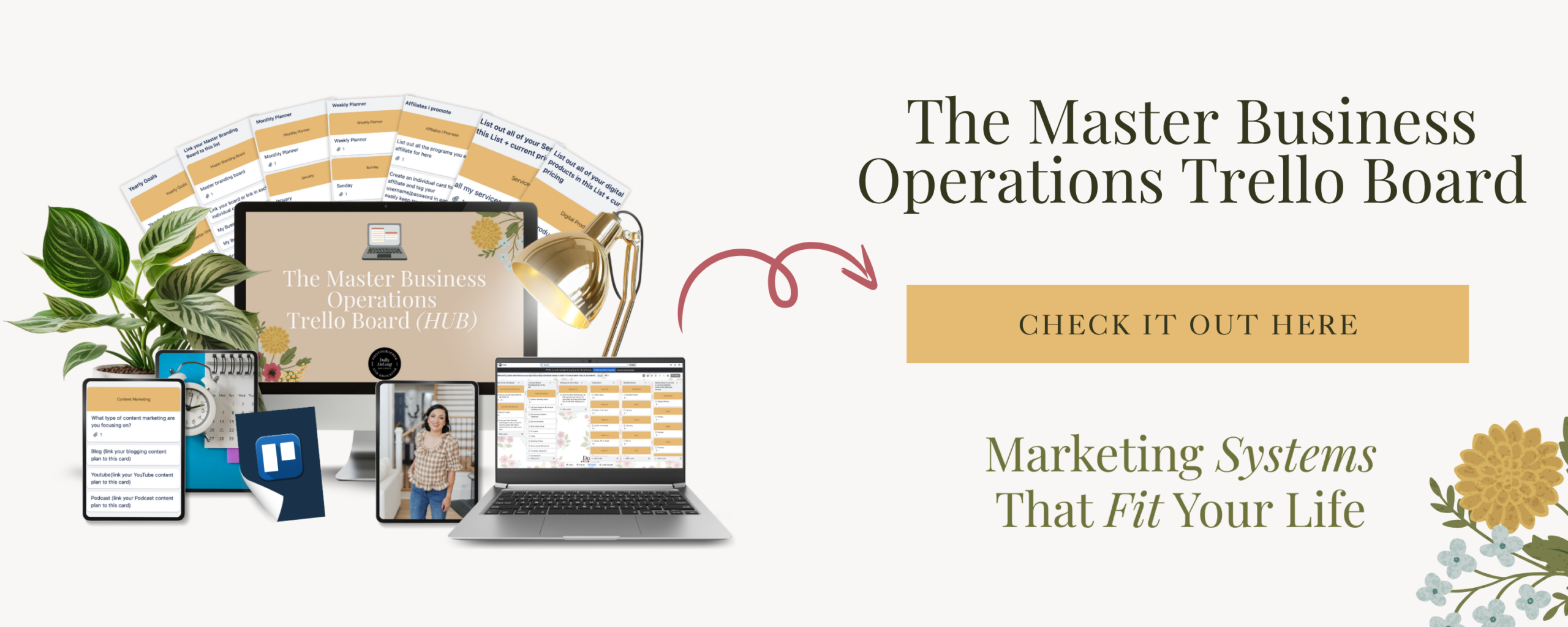
Step 2: Transfer Your Brain Dump Into a Spreadsheet or Document
Once your brain dump is out, put it into a structured format — a Google Sheet, an Excel file, or even a Word doc — so every step has its own row in order. This spreadsheet becomes your reference hub. It is the document you can print off, share with a future virtual assistant, or pull up when you need a reminder of your own process. It is also where you will start to see your workflow in phases. As you sort through your steps, you will notice the client journey naturally breaks into four distinct phases:
- Pre-booking — inquiry, response, package info, booking call
- Active booking — contract, invoice, welcome guide, prep materials
- Session day — reminders, location details, rain date info
- Post-session — editing, gallery delivery, review request, close-out
Label those phases. It helps you get even more specific when you eventually build this into a CRM tool. Once your steps are in order in the spreadsheet, you can also start marking which ones can be automated and which ones need a personal touch. That distinction matters more than you might think, and we will get to it shortly.
Step 3: Move Your Workflow Into a Project Management Tool AND a CRM
Now that your workflow is documented, you need a home for it that is not just a spreadsheet you might forget to open. Move your workflow into a project management tool — something like Trello, Asana, Notion, or ClickUp. Trello is free and very visual, which works really well for photographers who think in columns and checklists. This becomes your master operations hub where all of your workflows for all of your services can live in one organized place. Then, take it one step further: put your workflow into your CRM (Client Relationship Management) tool. A CRM is where your contracts, invoices, questionnaires, and contact forms all live together. Once your workflow is in a CRM, the tool can send automated emails, trigger reminders, and keep your client experience consistent without you having to remember every step manually. I have used Dubsado in my business since 2018, and it is my top recommendation for family photographers. If you want to try it, I have a 30% off affiliate link — that is the highest discount available. If you are not ready for a CRM yet, no pressure. Start with the project management tool. Just make sure your workflow is somewhere you will actually go back to, not buried in a file you forget exists. 
Step 4: Use Your Workflow With Every Single Client — No Exceptions
Once your workflow is built, use it. Every time. For every client who books that service. This is the rinse-and-repeat step, and it sounds almost too obvious to say out loud. But this is where many photographers fall off. You build the workflow, feel great about it, and then life gets busy, and you start improvising again. Think of your workflow like a recipe. You would not bake chocolate chip cookies differently every single time. Improvising works until it very much does not, and then you have something that is either surprisingly great or absolutely inedible. More importantly, you can’t reproduce it. Workflows are the same way. Follow the recipe consistently, and over time it becomes second nature. You stop thinking about it and just do it. Your workflow also protects you during the hardest seasons — fall mini sessions, holiday booking rushes, any stretch when you have back-to-back sessions and a full household to manage. That is exactly when mental bandwidth is lowest and steps get skipped. A documented workflow catches what your brain drops.
Step 5: Commit to the Process (Even When Things Get Hectic)
The final step is the one that separates photographers who dabble in systems from photographers who build businesses that actually run well: commitment. Committing to your workflow means you do not abandon it the moment life gets chaotic. Your workflow is not the Bible — it is a living document you are allowed to update, tweak, and refine. Assess it at least once a year. If clients keep asking the same question that is not addressed in your workflow, add a step. If something is clearly not working, remove it. The goal of the first draft was documentation, not perfection. But the commitment piece matters because the consistency you create is what your clients feel. When your process is the same every time, families know what to expect. They never wonder if they will hear from you. They never feel forgotten. They show up to their session prepared and confident because you communicated everything they needed to know. And when families feel that kind of confidence in your process, they become advocates for your business. They mention you at school pickup. They leave detailed Google reviews. They come back for milestone sessions year after year. That word-of-mouth cannot be manufactured. It is the direct result of a consistent, repeatable workflow.
What Can You Automate Once Your Workflow Is Documented?
Automation only works when you know what you are automating. You cannot automate what has not been documented first. Once your workflow is written out and running consistently, start looking at which steps can be handled automatically inside your CRM:
- An auto-responder email that goes out the moment someone fills out your contact form
- A prep guide that sends automatically after the contract is signed and the deposit is paid
- A reminder email 3 days before the session with the location and your phone number
- A review request that goes out automatically after the gallery is delivered
These automations do not replace the personal touch — they protect it. When the routine steps are handled automatically, you have more mental and emotional space for the moments that actually need your personal attention. Want to see the full list of tools I trust and recommend for family photographers? Head to systemsandworkflowmagic.com/business-tools for everything in one place.
Quick Recap: 5 Steps to Your First Family Photographer Workflow
Here is the full process at a glance:
- Brain dump the client journey for one service — write every step out of your head and onto paper or a Google Doc
- Transfer it into a spreadsheet so every step has its own row, in order, organized by phase
- Move it into a project management tool AND a CRM, so your workflow has a permanent, usable home
- Use it with every client — rinse, repeat, follow the recipe without exception
- Commit and refine — use it consistently, assess it annually, and update it as your business grows
Once you have completed this for one service, go back and do it for the next one. Yes, it takes time up front. But you are spending that time now to save yourself hours of scrambling, second-guessing, and apologizing later.
Your Clients Deserve a Consistent Experience (And So Do You)
Your families are trusting you with some of the most meaningful moments of their lives. The milestone sessions, the newborn days, the fall family portraits that will hang on their walls for years. That work is meaningful. You deserve a backend that supports it — not one that drains you, stresses you out, and leaves you hoping you didn’t forget something important. Start with one service. One workflow. One brain dump session with your coffee and a timer. That is the whole assignment. Ready to take the next step? Grab the Family Photographer’s Workflow Blueprint from the shop — it is built specifically to help family photographers like you get this done without the overwhelm.
And if you want to stay connected and get consistent marketing support every single month, come check out the Family Photographer’s Marketing Society. It’s the membership built for photographers who are done winging it.

Frequently Asked Questions About Family Photographer Workflows
What is a workflow in photography? A photography workflow is a documented, repeatable sequence of steps that guides a client from first inquiry through final gallery delivery for a specific service.
How do I start a workflow as a family photographer? Start by brain-dumping every step of one client journey onto paper or a Google Doc, then organize those steps into a spreadsheet, move them into a project management tool or CRM, and use the process consistently with every client.
What CRM is best for family photographers? Dubsado is a popular CRM choice for family photographers because it handles contracts, invoices, questionnaires, automated emails, and client reminders all in one place. Use this link for 30% off.
How many steps should a family photography workflow have? A standard family photography session workflow typically includes 14–16 steps covering the inquiry, booking, pre-session communication, session day, editing, delivery, review request, and project close-out.
Do I need a CRM to have a workflow? No. You can start with a spreadsheet or project management tool like Trello. A CRM allows you to automate parts of your workflow, but documentation always comes first.
Meet Your Favorite Marketing Strategist and Business Coach for Family Photographers (Dolly DeLong Education)

Hi, I’m Dolly DeLong, a Nashville-based family photographer, marketing strategist, and systems educator for family photographers who want structure, clarity, and consistency in their marketing.
My photography journey began in 2006, and over the years, I built a sustainable family photography business while navigating motherhood, client work, and the realities of running a solo creative business. Along the way, I discovered something unexpected: I loved the backend just as much as the creative side.
What started as organizing my own workflows turned into helping other family photographers simplify their marketing, build repeatable systems, and stop relying on last-minute posting or panic marketing.
Today, I focus exclusively on helping family photographers intentionally market their businesses (not with trends but with consistently showing up).
I offer two ways to work with me:
-
The Family Photographer’s Marketing Society: a systems-first membership that provides a clear weekly marketing cadence for Instagram and email, so you always know what to focus on without starting over.
-
1:1 Strategic Marketing Support for established family photographers who want hands-on guidance in building a sustainable, SEO-supported marketing system.
Through my blog, podcast, and YouTube channel, I teach family photographers how to think like marketers, plan ahead, and create marketing rhythms that support both their business and their family life.
I still photograph families around Nashville because it’s one of my greatest joys. But helping family photographers build calm, consistent marketing systems that actually fit real life is a close second.
I’m so glad you are here, reading this blog, listening to the podcast, or watching the embedded YouTube video. I hope this educational content was helpful. Please let me know what future systems content you would like me to create!
more on me • more on me

More about dolly
Hi, I’m Dolly — a family photographer, marketing strategist, and systems & workflow educator for family photographers who want to find joy (and order) in their business again. Because I still work behind the camera, I understand firsthand how overwhelming the backend of a creative business can feel.
With my launch-strategist brain and a deep love for simple systems, I help photographers build intentional marketing rhythms and workflows that make it easier to show up consistently, attract the right clients, and actually enjoy running (and marketing) their business.
Through my blog, podcast, and YouTube education, I share actionable steps, real talk, and encouragement — all rooted in faith and intention — to help you bring clarity and confidence to your marketing and everyday systems. Because sustainable growth isn’t built on hustle or speed, but on thoughtful planning, consistency, and care.
part cheerleader. part systems guide.
But all dolly.
I'm Dolly

Watch now
This training covers the elements you should include in your photography business contact form.
How to create a contact page that WOWS & converts
no 03. | free training

Download now
Access my exact checklist I use to create my mini sessions every year in Dubsado
The Dubsado
Mini-Session Master Workflow Checklist
no 02. | DOWNLOAD

Get the free guiide
These evergreen posts build confident & consistent marketing
5 Instagram posts every family photographer should be sharing
no 01. | download