
How to Use Dubsado for Invoices as a Family Photographer
Dubsado Invoices for Family Photographers
This post was originally published in 2021 and has been updated to reflect current Dubsado features and best practices for family photographers. If you have ever sent a client a Venmo request, waited for a check in the mail, or tried to remember if a family actually paid you in cash at their session, you already know the problem. Scattered payment methods create scattered records, and scattered records lead to missed income, tax season headaches, and that sinking feeling of not knowing where your money actually stands. You did not start your photography business to become a collections agent. You started it because you love capturing families, and you deserve a billing system that respects your time.
That is exactly what setting up Dubsado invoices for photographers can do for you.
And in this post, I am going to walk you through every step so you can stop piecing together payments from five different places and start running your finances like the business owner you already are. If you have been eyeing Dubsado but have not taken the plunge yet, you can get 30% off Dubsado with my affiliate code and start building these systems today.
Why Do Family Photographers Need a Billing System?
A dedicated billing system gives family photographers one central place to create, send, and track every invoice so no payment falls through the cracks. Here is what I see all the time with the photographers I work with: they are collecting payments through three or four different channels. One client pays through Venmo. Another writes a check. Someone else hands them cash at the session. And a fourth client pays through a different payment app entirely. None of those payments is connected. None of it is automatically tracked. And when January rolls around, and it is time to pull together tax documents, everything turns into a stressful scavenger hunt.
A billing system like Dubsado changes that by putting your invoicing, payment collection, and record-keeping under one roof. You create the invoice, the client pays through your preferred method, and the platform tracks the transaction for you. No spreadsheet cross-referencing. No digging through bank statements. Just a clear picture of what came in and when. This is especially important if you are a solo business owner without a bookkeeper or assistant handling your finances. When it is just you, every manual step you can remove from your money workflow matters. And if you are ready to pair your invoicing with a solid organizational system, check out The Backend Organization System for Family Photographers to bring the same kind of structure to the rest of your business operations.
What Is Dubsado and Why Is It a Good CRM for Photographers?
Dubsado is a client relationship management (CRM) platform that lets photographers manage leads, contracts, invoices, workflows, and client communication from a single dashboard. If you are not familiar with Dubsado, think of it as the control center for your entire client experience. It is not just an invoicing tool. It handles your inquiry forms, contracts, questionnaires, scheduling, email sequences, and yes, your invoices and payment processing. Everything connects, and that is what makes it so effective for family photographers who need their backend systems to run smoothly without a team behind the scenes. What makes Dubsado stand out from other CRM options for photographers is its level of customization. You can brand your invoices, create templates for every type of session you offer, automate payment reminders, and set up workflows that handle repetitive tasks for you. That means less time spent on admin work and more time behind the camera or with your own family. I have been using Dubsado in my own photography business for years, and I have also helped other family photographers get set up inside the platform. The learning curve is real, but once your systems are in place, the payoff is worth every minute you spent building them.
How Do You Set Up Payment Methods in Dubsado?
Inside Dubsado, go to Settings, then the Financial tab, and connect your preferred online payment processor (like Stripe or Square) to start accepting credit card and bank transfer payments. This first step is the one that makes everything else possible. Before you create a single package or send your first invoice, you need to tell Dubsado how you want to receive money. The platform currently supports integrations with payment processors like Stripe and Square, which means your clients can pay by credit card or bank transfer directly through your invoice. Here is why this matters: when your payment method is already connected and ready to go, every invoice you send from that point forward has a built-in “pay now” button. Your client clicks, pays, and the transaction is recorded automatically. No more “I’ll Venmo you later” situations. No more wondering if a check got lost in the mail. A few things to decide before you connect your processor:
- Will you accept credit cards, bank transfers, or both? Credit cards are the most convenient for clients, but they come with processing fees. Bank transfers (ACH) typically have lower fees but take longer to clear.
- Will you charge a processing fee to clients, or absorb it? Some photographers pass the fee along; others build it into their pricing. Both are valid approaches.
- Do you need to collect sales tax? Depending on your state, you may need to add tax to your invoices. Dubsado lets you configure this in your package settings.
Getting this foundation right from the start saves you from headaches later, especially when it comes to bookkeeping. Speaking of which, if you need a clean way to track your business finances beyond invoicing, The Bookkeeping Template for Creatives is built for exactly that.
How Do You Create Photography Packages in Dubsado?
To create packages in Dubsado, go to Templates, select Packages, and build a template for each session type with a description, pricing, tax settings, and category. Before you touch Dubsado for this step, sit down with a notebook (or a Google Doc, or a sticky note on your desk) and write out every type of session you currently offer. Full family sessions. Mini sessions. Newborn sessions. Maternity sessions. Extended family sessions. Headshots or branding sessions if you offer those too. For each session type, list out:
- What is included (number of edited images, session length, location details, outfit changes, etc.)
- Your pricing (flat rate, packages with add-ons, payment plan options)
- Any extras (albums, prints, hair and makeup, styling consultation)
- The category it falls under (this helps with bookkeeping and reporting later)
Once you have that list, creating the packages inside Dubsado is the straightforward part. Go to your Templates section, select Packages, and build one template for each session type. Fill in the description so your invoice clearly communicates what the client is paying for. Set the price. Add any applicable taxes. Assign a category. The reason this prep work matters so much is that once your packages are saved as templates, you never have to recreate them. The next time you book a mini session client, you open a new invoice, select your mini session package, and send. That is it. What used to take 15 minutes of typing and calculating now takes about 30 seconds. One thing I love about Dubsado is the option to customize the look of each package with different images. So your mini session invoice can have a different branded header than your full family session invoice. It is a small detail, but it makes your client experience feel polished and professional. OH M GEEEE, it really is the little things that make a difference.
How Do You Send an Invoice Through Dubsado?
To send an invoice through Dubsado, open the client’s project, create a new invoice, apply your saved package template, and send it directly to the client’s email. Once your packages are built, the invoicing process is where things move quickly. Here is the step-by-step:
- Open the client’s project in Dubsado. Every client should have their own project, which keeps their contract, questionnaire, invoice, and communication all in one place.
- Create a new invoice. Inside the project, navigate to the invoicing section and start a new invoice.
- Apply your package template. Select the session type from your saved packages. The description, pricing, and tax settings auto-populate.
- Review and customize if needed. Want to add a retouching add-on or adjust for a second location fee? You can modify the invoice before sending.
- Send. The client receives the invoice via email with a direct link to pay online.
That is the whole process. And because Dubsado tracks payment status for you, you can see at a glance which invoices are paid, which are outstanding, and which have upcoming payment plan installments. No more sticky notes, no more manual spreadsheet entries, and no more awkward “just checking in on that payment” emails (Dubsado can send automated reminders for you). If you want to see how invoicing fits into a bigger client workflow from inquiry to final gallery delivery, The Family Photographer’s Workflow Blueprint maps out every step so nothing gets missed.
Can You Set Up Payment Plans in Dubsado?
Yes. Dubsado allows you to create payment schedules with multiple installments, due dates, and automated reminders so clients can pay over time without you manually tracking each payment. Payment plans are a big deal for family photographers, especially if you offer higher-ticket sessions or full collections that clients prefer to pay for over time. Instead of invoicing a client and hoping they remember to send the second half later, you can structure the payment plan directly in the invoice.
When you create the invoice, set the total amount and then split it into installments. You choose the due dates and amounts for each installment. Dubsado sends automatic reminders when a payment is coming due, and if you have autopay enabled, the client’s card gets charged on the scheduled date without either of you lifting a finger. This removes one of the most uncomfortable parts of running a photography business: chasing payments. You set it up once, the system handles the follow-through, and you can focus on the creative side of your work.
What Happens After a Client Pays an Invoice in Dubsado?
After a client pays, Dubsado automatically updates the invoice status to “paid,” logs the transaction details, and stores the record in your financial dashboard for easy bookkeeping. This is where the real time savings happen. Every payment that comes through Dubsado gets logged with the date, amount, and payment method. You do not have to enter it anywhere else. At the end of the month (or the end of the year), you can pull up your financial reports and see exactly how much revenue came in, broken down by session type, if you categorized your packages. For family photographers who handle their own bookkeeping, this is a huge relief.
And for those who work with a bookkeeper or accountant, it gives them clean, organized data to work with instead of a shoebox full of receipts and screenshots. If you want a bookkeeper who understands the photography industry, I recommend Ana-Marie Knapp, who specializes in working with creative business owners.
What Are Common Dubsado Invoice Mistakes Photographers Make?
The most common mistakes include not setting up packages in advance, forgetting to configure tax settings, skipping payment reminders, and using inconsistent pricing across invoices. Here are a few pitfalls to watch out for as you build your Dubsado invoice system:
- Creating invoices from scratch every time. If you are typing out session details manually for each client, you are doing double (or triple) work. Build your package templates once and reuse them.
- Forgetting sales tax. Depending on your state, you may be required to collect sales tax on photography services. Check your local requirements and configure the tax rate in your Dubsado settings so it is automatically applied.
- Not turning on payment reminders. Dubsado can send gentle automated reminders when a payment is due or overdue. Turn these on. They save you from having to send those follow-up emails yourself.
- Inconsistent pricing. When you create packages with set prices, your pricing stays consistent across every client. This protects you from accidentally undercharging and gives your business a more professional structure.
- Skipping categories. Assigning categories to your packages might seem like a small thing, but it makes your end-of-year financial reports much cleaner and easier to sort through.
If you want a broader look at organizing your backend operations (not just invoicing), grab my free Dubsado Mini Session Master Checklist to see how to put the puzzle pieces together to streamline your mini sessions. 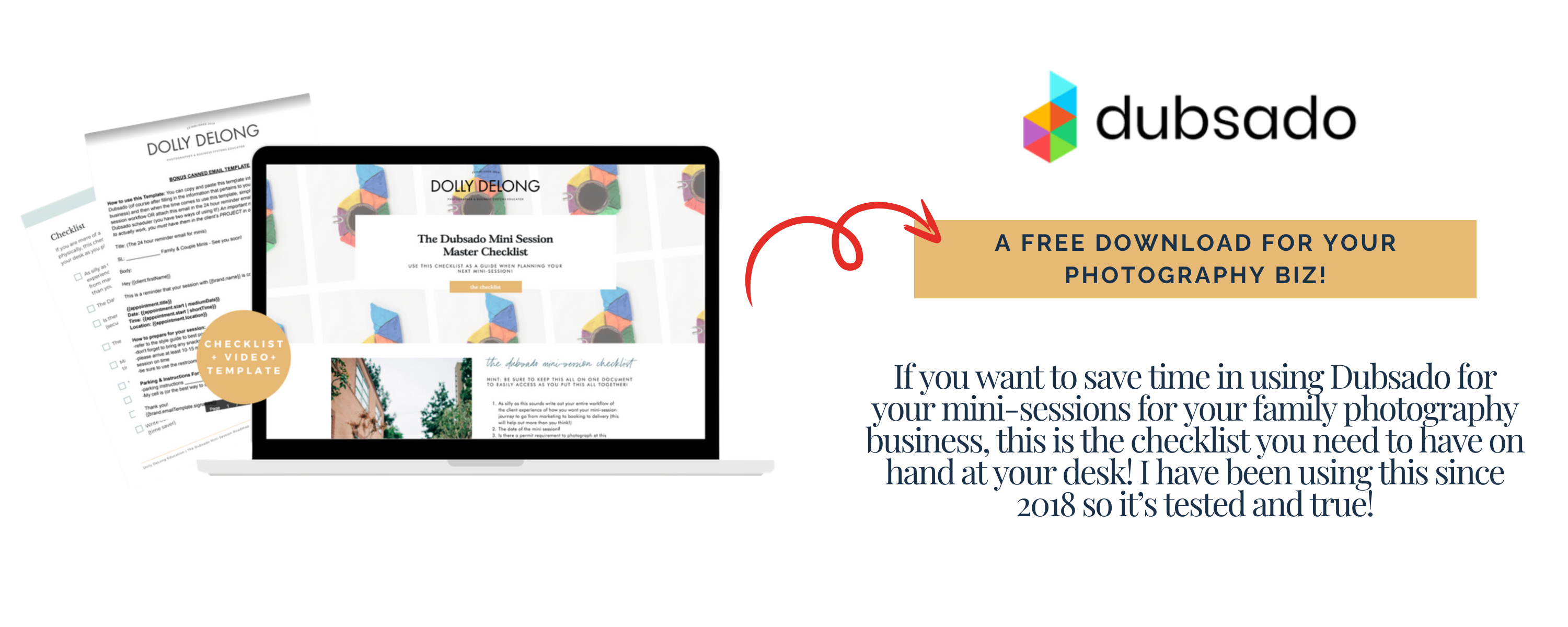
Your Next Step
You do not need to overhaul your entire business in a weekend. But you can take 1 hour this week to sit down, list your session offerings, and start building those packages in Dubsado. One hour of setup saves you hundreds of hours of manual invoicing, payment tracking, and financial guesswork over the lifetime of your business. If you are not on Dubsado yet, get 30% off with my affiliate code and start building a billing system that actually works for your photography business.
And if you are looking for a full system to organize every part of your backend operations (not just invoicing), The Family Photographer’s Workflow Blueprint walks you through the entire process from inquiry to gallery delivery. You started this business to photograph families, not to chase payments. Set up the system, and let it work for you.
Frequently Asked Questions About Dubsado Invoices for Photographers
Is Dubsado free for photographers? Dubsado offers a free trial that lets you test out the platform with a limited number of clients. After the trial, it moves to a paid plan. If you decide it is the right fit, you can use my affiliate link to get 30% off your subscription.
Can I customize my Dubsado invoices to match my brand? Yes. Dubsado lets you add your logo, brand colors, and custom images to your invoices and packages. This means every invoice you send reinforces your brand identity rather than appearing like a generic payment request.
Does Dubsado send payment reminders automatically? Yes. You can set up automated payment reminders within your Dubsado workflows. These reminders go out before or after a payment due date, so you do not have to manually follow up with clients.
Can clients pay invoices through Dubsado on their phone? Yes. Dubsado invoices are mobile-friendly, so clients can open the invoice link on their phone and pay right from there. This makes it easy for busy families to make payments quickly.
What payment processors does Dubsado integrate with? Dubsado integrates with Stripe and Square for online payment processing. You can accept credit cards and bank transfers through either processor.
Meet Your Favorite Marketing Strategist and Business Coach for Family Photographers (Dolly DeLong Education)

Hi, I’m Dolly DeLong, a Nashville-based family photographer, marketing strategist, and systems educator for family photographers who want structure, clarity, and consistency in their marketing.
My photography journey began in 2006, and over the years, I built a sustainable family photography business while navigating motherhood, client work, and the realities of running a solo creative business. Along the way, I discovered something unexpected: I loved the backend just as much as the creative side.
What started as organizing my own workflows turned into helping other family photographers simplify their marketing, build repeatable systems, and stop relying on last-minute posting or panic marketing.
Today, I focus exclusively on helping family photographers intentionally market their businesses (not with trends but with consistently showing up).
I offer two ways to work with me:
-
The Family Photographer’s Marketing Society: a systems-first membership that provides a clear weekly marketing cadence for Instagram and email, so you always know what to focus on without starting over.
-
1:1 Strategic Marketing Support for established family photographers who want hands-on guidance in building a sustainable, SEO-supported marketing system.
Through my blog, podcast, and YouTube channel, I teach family photographers how to think like marketers, plan ahead, and create marketing rhythms that support both their business and their family life.
I still photograph families around Nashville because it’s one of my greatest joys. But helping family photographers build calm, consistent marketing systems that actually fit real life is a close second.
I’m so glad you are here, reading this blog, listening to the podcast, or watching the embedded YouTube video. I hope this educational content was helpful. Please let me know what future systems content you would like me to create!
Leave a Reply
more on me • more on me

More about dolly
Hi, I’m Dolly — a family photographer, marketing strategist, and systems & workflow educator for family photographers who want to find joy (and order) in their business again. Because I still work behind the camera, I understand firsthand how overwhelming the backend of a creative business can feel.
With my launch-strategist brain and a deep love for simple systems, I help photographers build intentional marketing rhythms and workflows that make it easier to show up consistently, attract the right clients, and actually enjoy running (and marketing) their business.
Through my blog, podcast, and YouTube education, I share actionable steps, real talk, and encouragement — all rooted in faith and intention — to help you bring clarity and confidence to your marketing and everyday systems. Because sustainable growth isn’t built on hustle or speed, but on thoughtful planning, consistency, and care.
part cheerleader. part systems guide.
But all dolly.
I'm Dolly

Watch now
This training covers the elements you should include in your photography business contact form.
How to create a contact page that WOWS & converts
no 03. | free training

Download now
Access my exact checklist I use to create my mini sessions every year in Dubsado
The Dubsado
Mini-Session Master Workflow Checklist
no 02. | DOWNLOAD

Get the free guiide
These evergreen posts build confident & consistent marketing
5 Instagram posts every family photographer should be sharing
no 01. | download



[…] proposal. If you want to read about how to do that and why it’s important, check out another post HERE. This is really the foundation of your […]