How to Use Zapier and Dubsado Together (For Photographers)
Zapier and Dubsado for Photographers
*This post was originally published in 2022 and has been fully updated to reflect current platform features, integrations, and best practices.
You are juggling client inquiries, editing timelines, email follow-ups, Google Drive folders, and your email list all at the same time. And you are doing every single one of those tasks manually.
That is a lot of clicking, copying, and pasting for a solo photographer who already has a packed schedule. If you have ever wished your CRM could just talk to your other tools without you playing middleman, this post is for you. You are about to learn exactly how Dubsado and Zapier work together to cut out repetitive admin tasks so you can spend more time behind the camera (or, honestly, on the couch watching your favorite show guilt-free).
If you have been looking for a way to connect Dubsado to tools like Google Sheets, Trello, Flodesk, or Google Drive without doing everything by hand, keep reading. I am breaking down the exact automations I use and recommend, plus a few ideas you can set up this week.
And if you are still exploring CRM options or want to grab a discount on Dubsado, you can get 30% off Dubsado with my affiliate link here.

What Is Zapier and Why Do Photographers Need It?
Zapier is an automation tool that connects two or more software programs so they can pass information back and forth without you lifting a finger.
If you have mapped out your client experience (and if you have not, that should be a top priority), you have probably noticed that not every step fits neatly inside Dubsado. Your editing workflow, your lead tracking spreadsheet, your email marketing platform, your Google Drive folder system: those all live outside your CRM. Zapier bridges that gap. It creates what are called “Zaps,” which are automated instructions that say, “When THIS happens in Dubsado, do THAT in another app.”
For example, you can tell Zapier that when a new lead is created in Dubsado, a new row should be added to your Google Sheets lead tracker. No more toggling between tabs. No more forgetting to log a lead on a busy Saturday after a session.
Dubsado and Zapier have a well-established integration that makes connecting the two straightforward, even if you are not tech-savvy. You generate an API key inside Dubsado’s settings, paste it into Zapier, and you are ready to build your first Zap.
⚡️Want a full list of business tools I recommend for family photographers? Check out my business tools resource page.
How Does the Dubsado and Zapier Integration Actually Work?
The integration uses triggers and actions. A trigger is the event inside Dubsado that kicks off the automation, and the action is what happens in the other app as a result.
Here is how the setup works in practice. Inside Dubsado, navigate to Settings, then Integrations, and click “Generate tokens” under the Zapier section. Copy that API key and head over to Zapier. Under “My Apps,” search for Dubsado, click Connect, and paste in the key. That is the entire technical setup.
From there, you build individual Zaps by choosing a Dubsado trigger (like “New Lead,” “Contract Signed,” or “Project Status Updated”) and pairing it with an action in another app. The triggers available in Dubsado include new lead creation, contract signing, project status changes, and new payment receipt. The actions you can trigger in other apps are practically endless because Zapier connects with thousands of tools.
The whole point is to remove the manual handoff between platforms. If you are already using Dubsado to manage your client workflow, Zapier lets you extend that automation into every other tool you rely on.
What Are the Best Zapier Automations for Family Photographers?
The most valuable Zaps for family photographers are lead tracking, Google Drive folder creation, email list management, and project management board updates.
Let me walk you through each one, because these are the automations that will give you the biggest time savings right away.
Lead Tracking with Google Sheets
This is one I use personally and recommend to every photographer I work with. When a new lead comes into Dubsado (either manually created or through a lead capture form), Zapier automatically adds that lead’s name, email, and project details to a Google Sheets spreadsheet. From there, you can calculate your booking rate, review your monthly conversions, and see patterns in where your inquiries are coming from.
Knowing your numbers is not optional if you want to grow. This Zap takes about 5 minutes to set up and permanently saves you from the “I forgot to log that inquiry” problem.
Google Drive Folder Creation
When a client signs a contract in Dubsado, Zapier can automatically create a new Google Drive folder named after that client. No more scrambling to find where you saved their questionnaire responses or their shot list. The folder is ready and waiting for the moment the contract is signed.
This one sounds small, but multiply it across 30 or 40 clients a year, and you are saving real time and mental energy.
Email List Automation
When a project is completed in Dubsado, you can use Zapier to add that client to a specific segment in your email marketing platform. If you use Flodesk (which is my email marketing tool of choice), you can tag past clients and add them to a nurture sequence that keeps you top of mind for future sessions, holiday cards, or milestone portraits.
The beauty of this Zap is that your past clients never fall off your radar. They automatically enter a communication loop that keeps the relationship warm without you having to remember to add them manually after every single session.
Project Management Board Updates
If you use a project management tool like Trello, Asana, or ClickUp alongside Dubsado, Zapier can create a new task or board when a project is booked or when a session is completed. This keeps your editing checklist, your sneak-peek delivery timeline, and your blog post schedule moving without you having to manually create new cards or tasks for every client.
I am a big fan of using a project management board to track the parts of your workflow that cannot be automated, like editing, culling, and delivering sneak peeks. If you want a done-for-you version of this, grab my Backend Organization System for Family Photographers (Trello Board). It is a low-cost entry point that gives you an organized system right out of the box.
Can Zapier Help with Mini Session Bookings?
Yes. If you use an external scheduling tool like Calendly or Acuity for your mini session slots, Zapier can connect that scheduler to Dubsado so a new project is automatically created when a client books.
Mini sessions are one of those areas where the admin can pile up fast. You are managing dozens of time slots, confirmations, and client details in a short window. If your scheduling tool lives outside Dubsado, you either have to manually create each project in your CRM after someone books, or you risk losing track of who booked what.
Zapier eliminates that gap. When someone books a mini session slot on your external calendar, Zapier triggers the creation of a new project in Dubsado. From there, Dubsado’s native workflow takes over: sending the contract, the invoice, the prep guide, and everything else you have already set up.
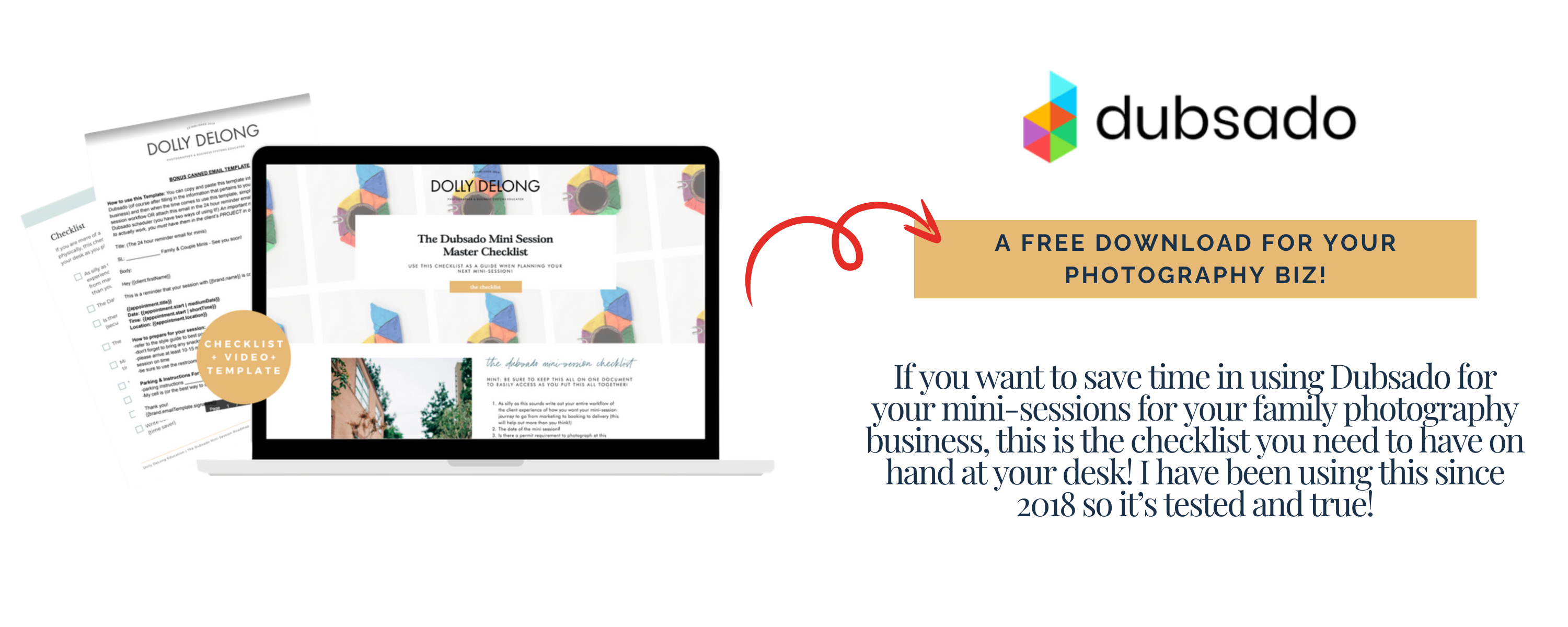
If you run mini sessions and want a checklist to keep the whole process organized inside Dubsado, download my free Dubsado Mini Session Master Checklist.
How Many Zaps Do You Actually Need?
Most solo family photographers need between two and five Zaps to cover their core workflow gaps. You do not need dozens of automations to see a real difference.
Start by looking at your full client experience from inquiry to gallery delivery. Identify the spots where you are manually moving information from one platform to another. Those handoff points are where Zapier belongs.
For most photographers, the biggest wins come from:
- Lead tracking (Dubsado to Google Sheets)
- Folder creation (Dubsado to Google Drive)
- Email list management (Dubsado to Flodesk, Mailchimp, or ConvertKit)
- Task creation (Dubsado to Trello, Asana, or ClickUp)
You do not need to set up all of these at once. Pick the one that would save you the most time this week, set it up, and build from there. Small, consistent improvements are what make your business feel calmer over time.
What Is the Difference Between Dubsado Workflows and Zapier Automations?
Dubsado workflows handle automations within Dubsado itself (like sending emails, creating tasks, and triggering forms), while Zapier handles automations between Dubsado and external tools.
This is an important distinction because they are not competing tools. They work together. Your Dubsado workflows manage the internal client experience: the welcome email, the contract, the invoice reminder, and the questionnaire. Zapier picks up where Dubsado’s native automations end, connecting your CRM to everything else in your tech stack.
Think of Dubsado workflows as your in-house team and Zapier as the courier that delivers information to outside departments. Both are doing essential work, and neither replaces the other.
How Do You Get Started with Zapier and Dubsado Today?
The fastest way to start is to generate your API key in Dubsado, connect it in Zapier, and build one simple Zap like the Google Sheets lead tracker.
Here is your quick action plan:
- Open Dubsado. Go to Settings, then Integrations, and generate a new Zapier API token.
- Open Zapier. Go to “My Apps,” search for Dubsado, and paste in the API key.
- Choose your first Zap. I recommend starting with “New Lead” as the trigger and “Create Spreadsheet Row” in Google Sheets as the action.
- Test it. Create a test lead in Dubsado and confirm that Zapier adds it to your spreadsheet.
- Build from there. Once you see how much time one Zap saves, you will want to add more.
Zapier offers a free plan that covers basic Zaps, and Dubsado’s integration is included across all pricing tiers. There is no reason not to try this today.
If you are ready to go further and map out your entire client workflow from inquiry to gallery delivery, check out The Family Photographer’s Workflow Blueprint. It walks you through every step so nothing falls through the cracks.
Frequently Asked Questions About Dubsado and Zapier
Is Zapier free to use with Dubsado? Zapier offers a free plan that allows you to create basic single-step Zaps. For multi-step Zaps (where one trigger causes multiple actions across different apps), you will need a paid Zapier plan. Dubsado’s Zapier integration is available on all Dubsado plans.
Do I need to know how to code to use Zapier? Not at all. Zapier is designed for non-technical users. The entire setup process is visual and guided. You pick a trigger, pick an action, map the fields, and test. No coding required.
What Dubsado triggers are available in Zapier? The current Dubsado triggers include new lead created, contract signed, project status updated, new payment received, and new job created. These cover the most common automation needs for service-based businesses.
Can I connect Dubsado to Flodesk through Zapier? Yes. You can set up a Zap that adds clients to your Flodesk email list when a specific event occurs in Dubsado, such as a project being completed or a contract being signed. This is one of the most popular Zaps for photographers who want to nurture past clients.
What if I use HoneyBook instead of Dubsado? HoneyBook also offers a Zapier integration, but the available triggers and actions differ. This post focuses on Dubsado, the CRM I use and recommend. If you are still deciding between the two, I would recommend just setting a timer for 30 minutes and doing basic research on both. See what would be the best fit for your family photography business.
Meet Your Favorite Marketing Strategist and Business Coach for Family Photographers (Dolly DeLong Education)

Hi, I’m Dolly DeLong, a Nashville-based family photographer, marketing strategist, and systems educator for family photographers who want structure, clarity, and consistency in their marketing.
My photography journey began in 2006, and over the years, I built a sustainable family photography business while navigating motherhood, client work, and the realities of running a solo creative business. Along the way, I discovered something unexpected: I loved the backend just as much as the creative side.
What started as organizing my own workflows turned into helping other family photographers simplify their marketing, build repeatable systems, and stop relying on last-minute posting or panic marketing.
Today, I focus exclusively on helping family photographers intentionally market their businesses (not with trends but with consistently showing up).
I offer two ways to work with me:
-
The Family Photographer’s Marketing Society: a systems-first membership that provides a clear weekly marketing cadence for Instagram and email, so you always know what to focus on without starting over.
-
1:1 Strategic Marketing Support for established family photographers who want hands-on guidance in building a sustainable, SEO-supported marketing system.
Through my blog, podcast, and YouTube channel, I teach family photographers how to think like marketers, plan ahead, and create marketing rhythms that support both their business and their family life.
I still photograph families around Nashville because it’s one of my greatest joys. But helping family photographers build calm, consistent marketing systems that actually fit real life is a close second.
I’m so glad you are here, reading this blog, listening to the podcast, or watching the embedded YouTube video. I hope this educational content was helpful. Please let me know what future systems content you would like me to create!
more on me • more on me

More about dolly
Hi, I’m Dolly — a family photographer, marketing strategist, and systems & workflow educator for family photographers who want to find joy (and order) in their business again. Because I still work behind the camera, I understand firsthand how overwhelming the backend of a creative business can feel.
With my launch-strategist brain and a deep love for simple systems, I help photographers build intentional marketing rhythms and workflows that make it easier to show up consistently, attract the right clients, and actually enjoy running (and marketing) their business.
Through my blog, podcast, and YouTube education, I share actionable steps, real talk, and encouragement — all rooted in faith and intention — to help you bring clarity and confidence to your marketing and everyday systems. Because sustainable growth isn’t built on hustle or speed, but on thoughtful planning, consistency, and care.
part cheerleader. part systems guide.
But all dolly.
I'm Dolly

Watch now
This training covers the elements you should include in your photography business contact form.
How to create a contact page that WOWS & converts
no 03. | free training

Download now
Access my exact checklist I use to create my mini sessions every year in Dubsado
The Dubsado
Mini-Session Master Workflow Checklist
no 02. | DOWNLOAD

Get the free guiide
These evergreen posts build confident & consistent marketing
5 Instagram posts every family photographer should be sharing
no 01. | download