5 AI Prompts Every Family Photographer Needs to Finally Build Out Their SOPs
You already know what to do when a client inquiry hits your inbox. You know your session prep routine. You know how you deliver galleries. The problem is that none of it is written down anywhere, and that means you are making the same decisions from scratch every single time.
That is exhausting, and it does not have to be your reality.
AI tools like Claude and ChatGPT can help you get those processes out of your head and onto a page in a fraction of the time it would take you to type them out yourself.
And no, this is not a “let AI run your whole business” kind of post. This is a practical, prompt-by-prompt guide that will help you draft five specific SOPs your family photography business actually needs, so you can stop winging it and start running your backend like the business owner you are.
If you have been putting off documenting your workflows because it felt like too much work or too “corporate,” this post is going to change how you think about SOPs for good. Let’s get into it.
Related resource: If you want a done-for-you project management system to store your SOPs, check out The Backend Organization System for Family Photographers, my $7 Trello board built specifically for solo photographers.
🎥Would you rather watch the YouTube Version of this? Click below
🎙️Would you rather listen to the Podcast Version of this? Click below
Continue To Scroll Down To Read The Blog ⬇️
What Is an SOP and Why Do Family Photographers Need One?
An SOP (standard operating procedure) is a documented, step-by-step process for handling a repeatable task in your business. It is simply the written version of the thing you already do in your head.
Most family photographers skip this step because it sounds corporate or unnecessary when you are a one-person operation.
But here is what happens without documented SOPs:
-You respond to inquiries inconsistently.
-You forget steps during the busy season.
-You skip the review request because you feel awkward.
-And if you ever want to bring on a virtual assistant or second shooter, you have nothing to hand them.
An SOP is not a corporate document. It is a gift you are giving your business (and your future self). Even if you stay solo forever, having your processes written down protects your energy, your consistency, and your client experience. When you pair this with the right business tools, your backend starts running itself. (You can browse my favorite business tools for photographers here if you want to see what I personally use and recommend.)
How Can AI Help Photographers Write SOPs?
AI serves as your first drafter, providing a strong starting point you can personalize with your voice, brand, and specific business details. Think about the last time you sat down to write out a process. Maybe you stared at a blank document for way too long, got overwhelmed, and then closed it out to go edit a gallery instead.
That is what happens when you try to write everything from scratch.
AI removes that blank-page paralysis entirely. When you give an AI tool a well-written prompt with your specific context (your city, your session types, your brand voice, your tools), it gives you back a structured draft in seconds.
Your job from there is to read it, adjust it, and make it sound like you.
That is the whole workflow: AI drafts, you refine, you put it to work.
The key mindset shift? AI is your first drafter. It is not your final voice.
Never never never never copy-paste an AI draft directly into your CRM or client communication without reviewing it first. The magic is in how much time it saves you on the thinking and structuring, so you can focus your energy on the personal touches that make your business yours. (Did I mention never copy/paste directly from AI… make sure you proofread and that it FEELS and LOOKS and SOUNDS like you!)
What Are the 5 SOPs Every Family Photographer Should Build with AI?
Every family photographer needs documented SOPs for client inquiries, session prep, gallery delivery, review requests, and content batching. These five SOPs cover the full arc of your client experience and your marketing workflow. Below, I am breaking each one down with the exact prompt you can paste into Claude or ChatGPT right now, plus what to do with the draft once you get it back.
SOP 1: Your Client Inquiry Response
This is the SOP I see the most inconsistency around in family photography businesses, and it matters because your inquiry response is your first impression. Depending on the day, how tired you are, or whether your kids napped, that prospective client might get a warm, detailed reply or a rushed two-sentence response that accidentally makes you sound like you do not want their business. Your inquiry response should be the same good quality every single time. That means you need a documented process and a template.
The prompt to use: I am a family photographer in [your city]. When a new inquiry comes in from my contact form, I need help writing out a step-by-step process for how I should respond within the first 24 to 48 hours. My goal is to make the family feel [your tone, e.g., warm, welcomed, and confident] that they have found the right photographer before we even begin talking about pricing. Please write this as a numbered SOP and then write a sample inquiry response email I can use as a starting template. My sessions are [list your session types].
Once you get the draft back, add the specific questions you like to ask every new inquiry. Add your turnaround time if that matters to you. Make the email sound like something you would actually write and send. Then save it as a canned email in your CRM.
Want a deeper walkthrough of this? Grab my free training, How to Create a Contact Page That Wows. It covers the full client inquiry experience from start to finish. If you are using a CRM like Dubsado, you can save this template as a canned email and trigger it from a workflow, which means one less decision you have to make every single week. (If you do not have a CRM yet, you can get 30% off Dubsado with my affiliate link.)
SOP 2: Your Session Prep and Day-Of Workflow
This is the SOP that keeps things from falling apart on the day of the session, and it is the one most photographers skip because the process lives entirely in their heads. But here is what I have discovered in my own family photography business: the days I skip reviewing my documented process are the days I forget something.
Every single time.
I forget to send the location pin, or I do not confirm the time with the family, or I show up with an uncharged battery.
The prompt to use: I am a family photographer, and I need help creating a two-part session prep SOP. Part one should cover everything I need to do 48 to 72 hours before a session: what to send to clients, what to confirm, what gear to check, and any business admin tasks to complete.
Part two should be a day-of workflow from when I wake up until I arrive on location. [Include any additional steps you know you want covered.] Please format this as two numbered checklists.
When you get the draft, personalize it with your specific gear list, your particular client communication steps, and any prep that is unique to the type of sessions you shoot. A newborn session prep looks totally different from an outdoor golden hour family session. Tell AI your context, and it will adjust, but remember: garbage input equals garbage output. Be specific.
SOP 3: Your Gallery Delivery Process
When you deliver a client gallery, that family has been waiting in excited anticipation. The experience you create around that delivery is part of what determines whether they leave a glowing review, book again next year, and refer their friends to you. That is not something you should wing.
The prompt to use: I am a family photographer who uses [CloudSpot, Pic-Time, ShootProof, etc.] for gallery delivery. I need a documented SOP for consistently delivering galleries every time. Please write this as a numbered checklist that covers the delivery timeline after the session, steps to prepare the gallery, a sample gallery delivery email that is warm and celebrates the family, instructions I should include for downloading and printing, and any notes on gallery expiration or access windows. My brand voice is [describe your tone] and my typical turnaround time is [X days/weeks].
Pay close attention to the sample delivery email when you get the draft back. A great gallery delivery email does not just say, “Here are your photos.” It celebrates the family. It reminds them of what a meaningful investment they made. It includes a nudge to print and book again. AI will give you the structure, and your job is to add your personality.
SOP 4: Your Review and Referral Request Process
This is the part most photographers know they should do but skip because asking for a review feels awkward. So instead of asking, you just hope the client remembers how much they loved working with you and leaves a review on their own. That is a strategy built on hope, and while I love being hopeful, hope is not a business system.
The prompt to use: I am a family photographer and I need a documented SOP for how I ask clients for reviews and referrals after a session. I want this to feel natural and warm, not pushy or salesy. Please write a numbered checklist of when and how I should make the review request (including timing after gallery delivery, which platforms to direct them to), a short sample email or text I can send requesting a Google review, and a separate message I can send to happy past clients asking them to refer a friend. My tone is [warm, genuine, relationship-focused, etc.].
Two things to adjust in your draft: First, get the timing right. The best time to request a review is right when the client receives their gallery and they are at their emotional high of seeing their photos for the first time. Not two weeks later when life has moved on. Second, add a personal line that references something specific about their session. A line like “It was such a joy photographing your family at Radnor Lake” will always outperform a generic template.
SOP 5: Your Content Batching Workflow
This SOP is less client-facing and more about how you run your marketing. If you are a family photographer who feels like marketing is just one more thing you will never have time for, this is the SOP that will help you move forward. A content batching workflow is a documented process for how you sit down, create content for multiple platforms at once, and schedule it out so you are not scrambling every single week.
The prompt to use: I am a solo family photographer who wants to create a monthly content batching workflow. I need a step-by-step SOP for how to batch my marketing content in one or two focused sessions per month. Please include what I should prepare before my batch session, the order in which I should create content (blog post, email newsletter, Instagram captions, etc.), how to repurpose one long-form piece of content into multiple formats, and a checklist I can use at the end of my batch session to confirm everything is scheduled. My content platforms are [list them: blog, email, Instagram, Pinterest, etc.].
This one needs the most personalization because your specific tools matter. If you use Flodesk for email, Later for Instagram scheduling, and Tailwind for Pinterest, your workflow is going to look different from someone using a completely different tech stack. Tell AI your tools and it will adjust. If you want a full system for building out your blogging and content strategy, The Blogging and Organic Visibility System walks you through how to create a blogging strategy that actually works for family photographers, including how to use your blog as the foundation for the rest of your marketing.
What Should You Do After AI Drafts Your SOP?
Review the draft out loud, fill in your specific business details, then store the SOP somewhere you will actually access it on a regular basis. Most photographers stop at the draft. They get it, feel relieved that something exists, save it to a random folder, and never implement it. Do not be that photographer. Here is a simple three-step process for turning any AI draft into something you will actually use:
Step 1: Read it out loud. This is the fastest way to catch anything that sounds off-brand, too robotic, or too corporate. If you would not say it in a real conversation with a client, take it out or change it.
Step 2: Fill in your specifics. Add your actual prices, your actual platforms, your actual session types, and your actual turnaround times. AI does not know these details unless you included them in the prompt. The more context you give upfront, the less cleanup you do afterward.
Step 3: Put it where you will see it. If you need to print it, print it. If you need it in your project management tool (Trello, Notion, ClickUp), put it there. The best SOP is the one you can access without hunting for it. My Backend Organization System Trello Board is designed to be your central hub for exactly this kind of thing.
Can AI Really Replace Doing the Work Yourself?
No. AI saves you time on drafting and structuring, but you still need to bring your own experience, voice, and client knowledge to every SOP before it goes live. The family photographers who are going to get the most out of AI are not the ones who hand everything over to it and hit publish. They are the ones who use AI to get a solid first draft in half the time it would take to write from scratch, and then they layer in the details that make their business theirs.
For a solo business owner who is also a mom trying to shoot sessions and run a whole business in limited hours, that time savings is everything. You can use AI practically to build a more organized, more consistent, and more peaceful business on the backend without adding more hours to your work week.
That is something I care about deeply for myself, and it is exactly what I teach inside The Family Photographer’s Marketing Society, my monthly membership for solo family photographers who want to stop winging their marketing and start showing up with a strategy.
Your Next Step: Just Pick One
If you have made it this far and you are feeling that familiar mix of inspired and overwhelmed, here is what I want you to do. Pick just one of the five SOPs from this post. Open up Claude or ChatGPT, copy the prompt, fill in your details, and see what comes back. Then spend 15 to 20 minutes personalizing it.
You are going to end that short work session with something documented for your business that has probably been living in your head for years. That is a win. Take it.
Frequently Asked Questions About AI and SOPs for Photographers
Which AI tool is best for writing photography SOPs? Both Claude and ChatGPT work well for drafting SOPs. The tool matters less than the quality of the prompt you give it. Be specific about your city, session types, brand voice, and the tools you use so the draft is actually useful to you.
Do I really need SOPs if I am a solo photographer? Yes, especially if you are solo. Without documented processes, every task requires you to remember each step from scratch, which drains your mental energy and leads to inconsistency. SOPs protect your client experience and free up brainpower for the creative work that only you can do.
How long does it take to create an SOP with AI? You can generate a solid first draft in under five minutes with a good prompt. Plan for another 15 to 20 minutes to personalize the draft with your specific details and brand voice. Total investment: about 25 minutes per SOP.
Where should I store my SOPs once they are written? Put them wherever you will actually look at them. That could be a project management tool like Trello or Notion, a Google Doc, or even a printed checklist on your desk. The best SOP is the one you can access without having to hunt for it.
Can I use AI-drafted emails directly with clients? Not without editing them first. AI gives you a strong structure and saves you from staring at a blank page, but every client-facing communication should be reviewed and adjusted to sound like you before you send it. Your personality and warmth are what set you apart, and no AI can replicate that.
Meet Your Favorite Marketing Strategist and Business Coach for Family Photographers (Dolly DeLong Education)
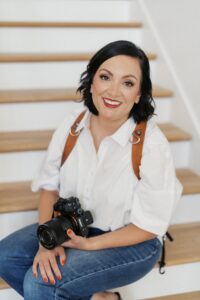
Hi, I’m Dolly DeLong, a Nashville-based family photographer, marketing strategist, and systems educator for family photographers who want structure, clarity, and consistency in their marketing.
My photography journey began in 2006, and over the years, I built a sustainable family photography business while navigating motherhood, client work, and the realities of running a solo creative business. Along the way, I discovered something unexpected: I loved the backend just as much as the creative side.
What started as organizing my own workflows turned into helping other family photographers simplify their marketing, build repeatable systems, and stop relying on last-minute posting or panic marketing.
Today, I focus exclusively on helping family photographers intentionally market their businesses (not with trends but with consistently showing up).
I offer two ways to work with me:
-
The Family Photographer’s Marketing Society: a systems-first membership that provides a clear weekly marketing cadence for Instagram and email, so you always know what to focus on without starting over.
-
1:1 Strategic Marketing Support for established family photographers who want hands-on guidance in building a sustainable, SEO-supported marketing system.
Through my blog, podcast, and YouTube channel, I teach family photographers how to think like marketers, plan ahead, and create marketing rhythms that support both their business and their family life.
I still photograph families around Nashville because it’s one of my greatest joys. But helping family photographers build calm, consistent marketing systems that actually fit real life is a close second.
I’m so glad you are here, reading this blog, listening to the podcast, or watching the embedded YouTube video. I hope this educational content was helpful. Please let me know what future systems content you would like me to create!
more on me • more on me

More about dolly
Hi, I’m Dolly — a family photographer, marketing strategist, and systems & workflow educator for family photographers who want to find joy (and order) in their business again. Because I still work behind the camera, I understand firsthand how overwhelming the backend of a creative business can feel.
With my launch-strategist brain and a deep love for simple systems, I help photographers build intentional marketing rhythms and workflows that make it easier to show up consistently, attract the right clients, and actually enjoy running (and marketing) their business.
Through my blog, podcast, and YouTube education, I share actionable steps, real talk, and encouragement — all rooted in faith and intention — to help you bring clarity and confidence to your marketing and everyday systems. Because sustainable growth isn’t built on hustle or speed, but on thoughtful planning, consistency, and care.
part cheerleader. part systems guide.
But all dolly.
I'm Dolly

Watch now
This training covers the elements you should include in your photography business contact form.
How to create a contact page that WOWS & converts
no 03. | free training

Download now
Access my exact checklist I use to create my mini sessions every year in Dubsado
The Dubsado
Mini-Session Master Workflow Checklist
no 02. | DOWNLOAD

Get the free guiide
These evergreen posts build confident & consistent marketing
5 Instagram posts every family photographer should be sharing
no 01. | download