
Contact Page for Photographers: Build One That Converts
This post was originally published in 2021 and has been fully updated to reflect current best practices for family photographers building a contact page that converts. Your contact page is quietly one of the hardest-working pages on your entire photography website. It is the digital handshake between you and every potential client who lands on your site. And if that page is clunky, confusing, or missing key elements, you are losing bookings before the conversation even starts. Here is the thing most family photographers overlook: a great contact page is not just about collecting a name and email address.
It is about creating a first impression so polished and intentional that your visitor already feels taken care of before you ever respond. That is what separates a contact page that sits there from one that actually converts. In this post, I am walking you through the exact elements your contact page needs, the follow-through system that creates the real “wow” factor, and how to connect it all to a workflow that saves you hours every single week. If you have been wondering why your inquiries feel inconsistent or why potential clients ghost after filling out your form, this is the post to bookmark.
Want a deeper look at how to set all of this up? I created a free video training on building a contact page that wows, which walks you through every step visually. Grab it and follow along as you read. 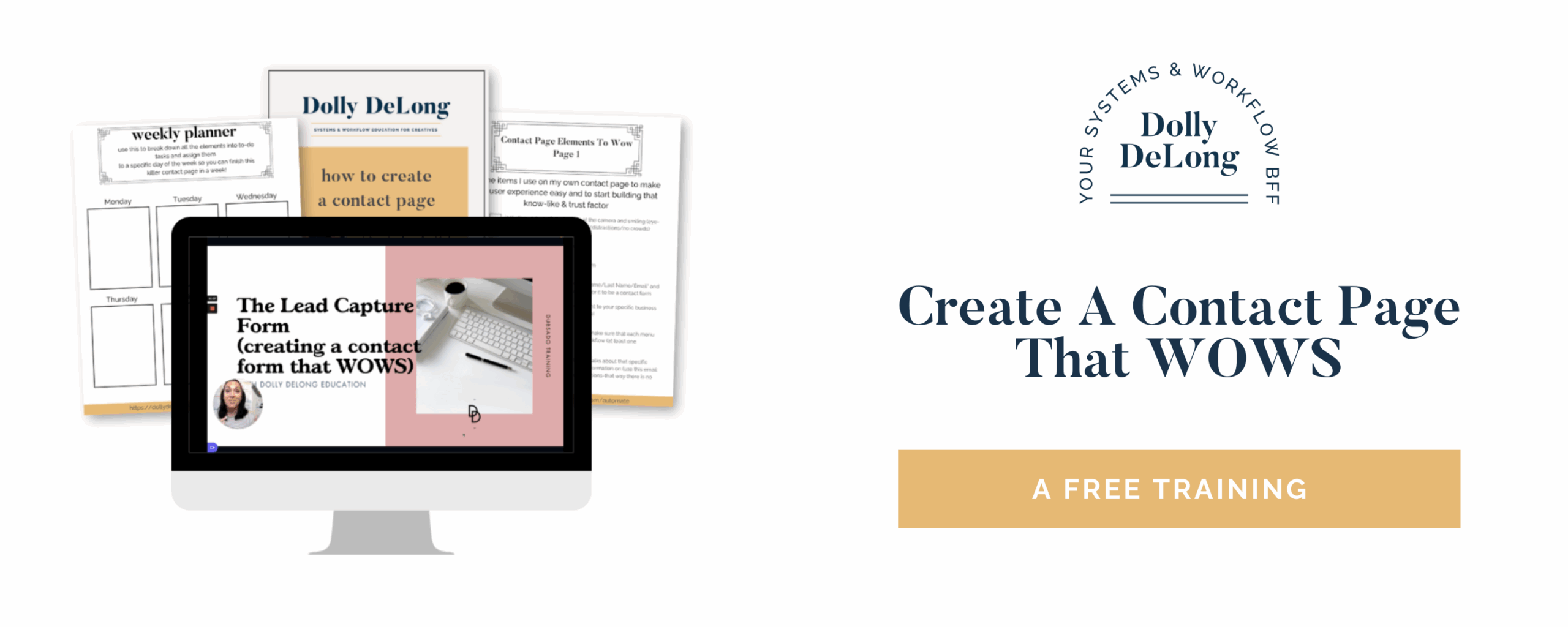
Why Does Your Contact Page Matter So Much as a Family Photographer?
Your contact page is often the highest-traffic page on your website after your homepage, and it is the first real interaction a potential client has with your business workflow. Think about what is happening when someone lands on your contact page. They have already browsed your portfolio. They have read your about page. They like your style, your vibe, your work. Now they are raising their hand and saying, “I want to learn more.” That moment is gold, and the experience they have on your contact page either builds trust or quietly breaks it. A messy, overly long, or confusing form sends a signal (even if it is subconscious) that your process might be disorganized. A clean, intentional contact page tells them, “You are in good hands.” And for family photographers who are building a business that supports their actual life, having a contact page that works for you (not against you) means fewer back-and-forth emails, fewer missed leads, and more booked sessions with less effort. If you are looking for more ways to build marketing systems that actually work, check out The Family Photographer’s Marketing Society, where we work through exactly this kind of strategy together every month.
What Elements Should a Photographer’s Contact Form Include?
A high-converting photographer contact form includes five to six essential fields: first name, last name, email address, service interest dropdown, referral source, and an optional open-ended question field. Let me break each one down so you know exactly what to include and why it matters.
-First name and last name. This sounds obvious, but you want both fields separated (not a single “name” field). Having both makes your follow-up emails feel personal and professional from the very first touchpoint.
-Email address. Non-negotiable. This is how you will continue the conversation, and it is the entry point to your automated workflow.
-What service are you interested in? This is where the real strategy kicks in. Set this up as a dropdown menu with your specific service offerings listed (mini sessions, full family sessions, newborn sessions, maternity, branding, etc.).
Here is the part most photographers skip: each dropdown option should be connected to a different workflow in your CRM. That means when someone selects “mini session,” they automatically receive the inquiry response, pricing guide, and follow-up sequence designed specifically for mini session leads. When someone selects “full family session,” they get a completely different (and equally intentional) sequence. This is where a tool like Dubsado becomes incredibly useful, because you can build these automated workflows once and let them run every single time a new inquiry comes in. Yes, it takes time up front to map this out and build it. But once it is set up, this single element saves you hours of manual email writing every week.
-Where did you find me? This is a small field that gives you massive insight over time. Knowing whether your leads are coming from Google, Instagram, Pinterest, a friend’s referral, or a past client helps you understand where your marketing is actually working. If you use Dubsado, you can connect this field to the “project source” tracking feature so your CRM automatically organizes your lead sources into data you can review each quarter.
-Any other questions or comments? (Optional.) This open-ended field gives your potential client space to share details that help you personalize your response. Maybe they mention their toddler is nervous around new people, or that they want photos before grandma visits from out of town. These details help you respond with warmth and specificity instead of a generic reply. For a full walkthrough of how to set up each of these fields inside your CRM, grab the free contact page video training here.
How Do You Make Your Contact Page Mobile-Friendly?
A mobile-friendly contact page uses short, clearly labeled fields, avoids long questionnaire formats, and loads quickly on any device. This matters more than most photographers realize. A large percentage of your website visitors browse on their phones, often while sitting in the pickup line at school or while scrolling during naptime. If your contact form is hard to navigate on a small screen, has too many fields, or takes forever to load, they will leave before finishing it.
Here is a practical rule: do not use your contact form as a full client questionnaire.
Save the detailed questions for after someone has actually inquired. Your contact page should feel quick and simple. If a potential client can fill it out in under 60 seconds on their phone, you are on the right track. Keep field labels clear and visible. Make sure the “submit” button is easy to tap. And test your form on your own phone before you consider it finished. If anything frustrates you, it will frustrate every visitor who lands there.
Building your site on a platform like Showit makes mobile optimization much more manageable because you can design your desktop and mobile views independently.
What Happens After Someone Submits Your Contact Form?
The real magic of a high-converting contact page is not the form itself. It is the automated follow-through that happens the moment someone clicks “submit.” This is the piece that separates a forgettable inquiry experience from one that makes people say, “Wow, she is so professional.” And it is exactly where most family photographers lose momentum. You get the inquiry notification, you mean to respond, but life happens. Maybe you are in the middle of an editing session, or your toddler just dumped yogurt on the dog, or you simply forget.
By the time you reply two days later, the lead has already reached out to another photographer who responded faster. That is why automating your follow-through is so important. When your contact form is connected to a CRM like Dubsado, you can build a workflow that triggers when someone submits the form. That workflow can include an immediate confirmation email (so they know their inquiry was received), a follow-up email with your pricing guide or session details, and even a scheduled reminder to follow up personally within 24 to 48 hours. This is not about removing the personal touch. It is about making sure no inquiry slips through the cracks while you focus on the parts of your business that need your hands-on attention. If you want to take this a step further, I break down my exact follow-through workflow (step by step) inside the free contact page training. It covers the confirmation page, the email sequence, and how to set it up so it runs without you having to think about it.
Should You Add Visual Branding to Your Contact Page?
Yes. A branded contact page with consistent fonts, colors, and design elements reinforces trust and makes your business look polished and professional. Your contact page should not feel like an afterthought. It should feel like a natural extension of the rest of your website. When a visitor moves from your portfolio page to your contact page, and the visual experience remains consistent, it signals that you pay attention to detail. And for families investing in a photography session, that kind of attention to detail matters. Think about including a short welcome message above the form, a professional photo of yourself, and design elements that match your brand. You do not need to go overboard, but a little intentional styling goes a long way in building confidence before someone hits “submit.”
How Does a CRM Connect to Your Contact Page Workflow?
A CRM (client relationship management) tool like Dubsado connects directly to your contact form and automates the inquiry-to-booking workflow behind the scenes. When your contact form lives inside your CRM, every submission triggers a chain of actions that you have already built. The lead gets tagged, categorized by service type, added to a pipeline, and sent the right emails automatically. You do not have to copy and paste from your inbox or manually track who you have responded to and who you have not. For family photographers running a solo business, this is not a luxury. It is a sanity-saver. Having a CRM handle the repetitive admin tasks means you can spend more time on creative work, family time, or the parts of your business that actually need your brain. If you have been curious about Dubsado but haven’t tried it yet, you can get 30% off with my affiliate link.
I also have a free Dubsado Mini Session Master Checklist if you want a step-by-step guide to setting up your first mini-session workflow.
For photographers who want a full system for organizing every part of their backend, the Family Photographer’s Workflow Blueprint walks you through building workflows for every stage of your client experience.
What Are Common Contact Page Mistakes Family Photographers Make?
The most common mistakes include using the contact form as a full questionnaire, burying it beneath too much text, not connecting it to an automated workflow, and forgetting to test on mobile. Here are the ones I see most often:
Asking too many questions upfront. Remember, this is your visitor’s first interaction with your business process. If they have to scroll through 15 fields to submit an inquiry, most will not complete it. Keep it simple and save the detailed questions for later in your workflow.
No automated follow-up. If someone fills out your form and hears nothing for 48 hours, the excitement fades fast. An automated confirmation email that goes out immediately tells them their inquiry was received and sets expectations for what happens next.
Ignoring lead source tracking. If you do not know where your clients are finding you, you cannot make smart decisions about where to focus your marketing energy. Add a “how did you find me” field and actually review that data each quarter.
Not testing the form regularly. Things break. Plugins update. Forms stop sending notifications. Set a reminder to test your contact form at least once a quarter to make sure it is working as it should.
Your Contact Page Action Plan
Your contact page is not just a form. It is the front door to your entire client experience. When you set it up with the right elements and connect it to an automated follow-through workflow, you create a first impression that builds trust, saves you time, and converts more visitors into booked clients. Here is your action plan for this week:
Review your current contact form and ensure it includes the essential fields (name, email, service interest, and referral source).
Connect your form to a CRM workflow so every inquiry gets an immediate, automated response. Dubsado is my go-to recommendation for this, and you can try it at 30% off here.
Test your form on mobile to make sure the experience is clean and fast.
Watch the free training to see the full follow-through system in action: Create a Contact Page That Wows. And if you are ready for ongoing support with your marketing systems, workflows, and visibility strategy, The Family Photographer’s Marketing Society is where we work through all of this together, step by step, every single month. 
Frequently Asked Questions About Contact Pages for Photographers
What is the best CRM for family photographers? Dubsado is one of the most popular CRM tools for family photographers because it allows you to build automated workflows directly connected to your contact form. It handles proposals, contracts, invoices, and follow-up emails all in one place. Get 30% off Dubsado with my affiliate link.
How many fields should a photographer’s contact form have? Aim for five to six fields maximum. Include first name, last name, email, service interest, referral source, and an optional comments field. Anything more risks overwhelming your visitor and lowering your conversion rate.
Should I put pricing on my contact page? That depends on your business model, but most family photographers benefit from sharing starting pricing on a separate pricing page rather than the contact form itself. Your contact page should make it easy to reach out, and your follow-up workflow can deliver detailed pricing information.
How quickly should I respond to a contact form submission? The faster, the better. An automated confirmation email should go out immediately, and a personal follow-up should happen within 24 hours. Leads go cold quickly, especially when families are reaching out to multiple photographers at once.
Can I use my contact form without a CRM? You can, but you’ll have to do everything manually, and inquiries are more likely to fall through the cracks. Even a basic CRM setup saves time and creates a more professional experience for your potential clients.
Meet Your Favorite Marketing Strategist and Business Coach for Family Photographers (Dolly DeLong Education)

Hi, I’m Dolly DeLong, a Nashville-based family photographer, marketing strategist, and systems educator for family photographers who want structure, clarity, and consistency in their marketing.
My photography journey began in 2006, and over the years, I built a sustainable family photography business while navigating motherhood, client work, and the realities of running a solo creative business. Along the way, I discovered something unexpected: I loved the backend just as much as the creative side.
What started as organizing my own workflows turned into helping other family photographers simplify their marketing, build repeatable systems, and stop relying on last-minute posting or panic marketing.
Today, I focus exclusively on helping family photographers intentionally market their businesses (not with trends but with consistently showing up).
I offer two ways to work with me:
-
The Family Photographer’s Marketing Society: a systems-first membership that provides a clear weekly marketing cadence for Instagram and email, so you always know what to focus on without starting over.
-
1:1 Strategic Marketing Support for established family photographers who want hands-on guidance in building a sustainable, SEO-supported marketing system.
Through my blog, podcast, and YouTube channel, I teach family photographers how to think like marketers, plan ahead, and create marketing rhythms that support both their business and their family life.
I still photograph families around Nashville because it’s one of my greatest joys. But helping family photographers build calm, consistent marketing systems that actually fit real life is a close second.
I’m so glad you are here, reading this blog, listening to the podcast, or watching the embedded YouTube video. I hope this educational content was helpful. Please let me know what future systems content you would like me to create!
Leave a Reply
more on me • more on me

More about dolly
Hi, I’m Dolly — a family photographer, marketing strategist, and systems & workflow educator for family photographers who want to find joy (and order) in their business again. Because I still work behind the camera, I understand firsthand how overwhelming the backend of a creative business can feel.
With my launch-strategist brain and a deep love for simple systems, I help photographers build intentional marketing rhythms and workflows that make it easier to show up consistently, attract the right clients, and actually enjoy running (and marketing) their business.
Through my blog, podcast, and YouTube education, I share actionable steps, real talk, and encouragement — all rooted in faith and intention — to help you bring clarity and confidence to your marketing and everyday systems. Because sustainable growth isn’t built on hustle or speed, but on thoughtful planning, consistency, and care.
part cheerleader. part systems guide.
But all dolly.
I'm Dolly

Watch now
This training covers the elements you should include in your photography business contact form.
How to create a contact page that WOWS & converts
no 03. | free training

Download now
Access my exact checklist I use to create my mini sessions every year in Dubsado
The Dubsado
Mini-Session Master Workflow Checklist
no 02. | DOWNLOAD

Get the free guiide
These evergreen posts build confident & consistent marketing
5 Instagram posts every family photographer should be sharing
no 01. | download



[…] I have countless resources that can help. Check out some of my recent blogs about Dubsado, like How to Create a Contact Page that WOWS, my top 7 reasons why I love Dubsado, or my Five Essential Business Tools (I bet you can guess what […]
[…] know I spoke about this in THIS blog post, but I cannot get over how magical the Lead Capture form is (aka the “contact” me […]
[…] from your potential clients. I talk all about how to build a contact page that WOWS your clients here, so today I want to talk about adding a URL redirect page on the backend of your contact form. I […]